
Download Ace Translator – Free Fast Multilingual Translation Tool
Overview
In a world where borders are shrinking and communication happens in real time, having a reliable translation tool on your desktop or mobile device is no longer a luxury—it’s a necessity. Ace Translator answers that call with a sleek, user‑friendly interface that lets you translate any piece of text into 58 languages in just a few seconds. Whether you’re a student deciphering a foreign‑language article, a business professional drafting an email for an international client, or a traveler trying to understand a menu in a bustling market, Ace Translator provides a quick, approximate translation that captures the essence of the original message.
The app’s core strength lies in its simplicity: paste or type the text, choose the target language, and hit “Translate.” Within five seconds you receive a readable output that, while not a substitute for a professional human translator, offers a solid foundation for comprehension. Designed with speed, security, and accessibility in mind, Ace Translator runs on Windows, macOS, Android, and iOS, ensuring that you can bridge language gaps wherever you are. Its free download model removes financial barriers, while regular updates keep the language database fresh and the performance smooth.
In short, Ace Translator is the go‑to solution for anyone who needs an effortless, reliable, and fast translation experience across multiple platforms.
Key Features
- 58 Language Support: Translate between popular languages such as English, Spanish, Japanese, Russian, Polish, Swahili, and many more niche options.
- Instant Translation: Typical processing time is under five seconds, even for longer paragraphs.
- Simple One‑Click Interface: No complex settings—just paste, select, and translate.
- Cross‑Platform Compatibility: Available for Windows, macOS, Android, and iOS devices.
- Secure Offline Mode: Optional offline language packs keep your data private and allow translation without an internet connection.
- Auto‑Detect Language: The app can automatically recognize the source language, saving you an extra step.
- History Log: Recent translations are saved for quick reference and re‑use.
- Regular Updates: Frequent language‑model improvements and UI refinements.
- Free Core Version: Full translation capabilities without a subscription, with optional premium add‑ons for advanced features.
Installation & Usage Guide
Installation
Getting Ace Translator up and running is straightforward. For Windows users, download the installer from the official website, run the .exe file, and follow the on‑screen prompts. macOS users will receive a .dmg package; simply drag the Ace Translator icon into the Applications folder. Mobile users can locate the app on the Google Play Store or Apple App Store—just tap “Install” and wait for the download to finish. All versions require a minimum of 200 MB of free disk space and a stable internet connection for the initial language pack download. Once installed, the app automatically checks for the latest updates and prompts you to install them, ensuring you always have the most accurate translation models.
How to Translate
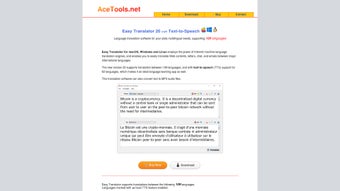
After launching the application, you’ll see a clean window with a large text box at the top. Paste or type the text you want to translate, then click the drop‑down menu to choose your target language. If you’re unsure of the source language, enable the “Auto‑Detect” toggle; Ace Translator will identify it for you.
Press the bright green “Translate” button, and within seconds the translated text appears in the lower pane. For longer documents, you can split the content into smaller sections to maintain speed and accuracy. The history log, located on the right side of the screen, records each translation, allowing you to revisit or copy past results with a single click.
Additionally, the app offers a “Copy to Clipboard” shortcut and a “Save as Text File” option for offline reference.
System Compatibility & Requirements
Ace Translator runs on Windows 10/11, macOS 10.15 (Catalina) or later, Android 6.0 (Marshmallow) and above, as well as iOS 13 or newer. The desktop versions require a 64‑bit processor and at least 2 GB of RAM. Mobile versions are optimized for both phones and tablets, adapting to various screen sizes while maintaining the same rapid translation speed.
Pros, Cons, and Frequently Asked Questions
Pros & Cons
- Pros:
- Fast, sub‑5‑second translation for most texts.
- Extensive language list covering major and regional tongues.
- Free core version with no hidden fees.
- Cross‑platform support ensures consistent experience.
- Offline mode protects privacy and works without internet.
- Cons:
- Translations are approximate; not suitable for legal or medical documents.
- Advanced features (e.g., batch processing, API access) require a paid upgrade.
- Occasional lag on very large files (>10,000 characters) in free mode.
Frequently Asked Questions
Is Ace Translator completely free?
The core translation engine is free for all users. Premium add‑ons, such as batch translation and advanced language packs, are optional and require a one‑time purchase.
Can I use Ace Translator without an internet connection?
Yes. By downloading the offline language packs during the initial setup, you can translate text locally, which also enhances privacy.
How accurate are the translations?
Ace Translator provides high‑quality, machine‑generated translations suitable for everyday communication and general understanding. For critical documents, professional human translation is recommended.
What platforms does Ace Translator support?
The software is available for Windows, macOS, Android, and iOS. All versions share the same feature set and receive synchronized updates.
Is my data safe when I use the app?
Ace Translator encrypts data during transmission and offers an offline mode that stores no information on external servers, ensuring that your text remains private.
Conclusion & Call to Action
If you’re searching for a reliable, fast, and free translation solution that works across all major operating systems, Ace Translator stands out as a solid choice. Its intuitive design, extensive language catalog, and optional offline capability make it suitable for students, professionals, and casual users alike. While it’s not a substitute for certified translation services, it delivers more than enough accuracy for everyday tasks, research, and quick communication. Ready to break language barriers without spending a dime? Download Ace Translator now and experience seamless multilingual translation at your fingertips.
Pros: Fast, free, multi‑platform, offline mode.
Cons: Approximate translations; premium features cost extra.







